

TRIAL
14-day free trial
See every app that needs attention before you decide.
 New1.5 is out
It finds and installs updates for your Mac apps and command-line tools.
14-day free trial · $6.49 after · macOS 15 or later

Your app data kept safe, App Store updates in the same list, and your MacUpdater choices brought along.

Backups
Greypaint copies an app's settings and data before it updates, daily or weekly, or when you ask. Roll back a version and take its data with it. Earlier versions and removed apps live on the same page.
App Store Beta
They download and install in the same list, with progress. The App Store is one click away if one fails.
Moving from MacUpdater
Greypaint offers to copy the apps and updates you ignored in MacUpdater.
It checks Sparkle, Homebrew, GitHub, and the App Store, and answers in one list.
The feed most indie Mac apps already publish.
Whatever you installed with brew, without a terminal.
For the apps that ship straight from a repository.
Counted here. Greypaint installs the update itself (beta). The App Store is there if it fails.














Any other app on your Mac.
Homebrew, npm, pnpm and uv, in the same window. It shows what's out of date and updates only what you tick. See what's covered

Your apps, tools and settings travel in one file.

Export your apps once. Open the file on the new Mac and each one installs from the same developer as before.

Put the previous version back, and bring its settings and data with it.
Fold the sidebar down to icons when you want the room.
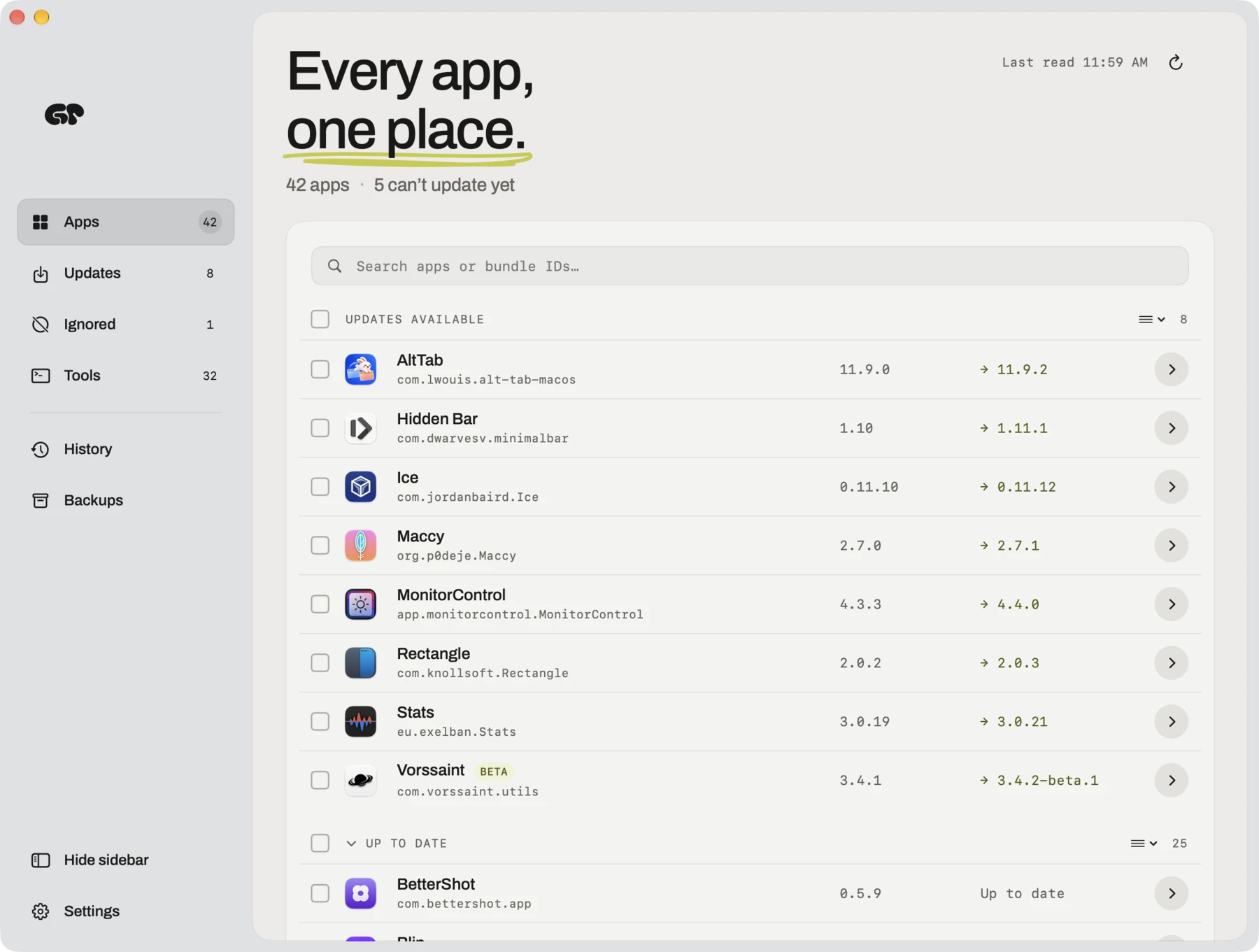
One payment, no subscription.
TRIAL
See every app that needs attention before you decide.
LICENSE
One payment. Updates are included.
It checks for Mac app updates with the window closed.
Nothing updates without you. You can also let critical updates, or everything, install on their own.

Check hourly, every six hours or daily, or only when you ask.

Big version jumps and missing updates are marked.
A new major version is marked, and never installs on its own.
Set a release aside. The next one shows up as usual.
When a release needs a newer Mac or macOS, you hear about it.
Apps still on Rosetta, and apps their developer stopped making.
Put the previous version back if an update goes wrong.
Homebrew, npm, pnpm and uv tools. Nothing updates unless you tick it.
Every shortcut can be changed in Settings.
Coming soon
The same one list for Windows 10 and 11, reading WinGet, the Microsoft Store, Scoop, Chocolatey and each app's own updater.
14-day free trial · $6.49 after · macOS 15 or later